Reports & Dispatches
The Governor's Desk is the central intelligence ledger. Every engagement, reconnaissance mission, completed project, and incoming threat is recorded here — new dispatches demand attention, and detailed reports preserve the full account for later review.
 Combat
 Espionage
 Fleet
FleetThe Governor's Desk
The Desk organises information across three ledgers, each accessible by tab:
- Dispatches — Short notices that arrive as events unfold: construction completed, research advanced, troops trained, transports delivered, incoming threats detected, and more. Each dispatch is noted when the Desk is opened, while unopened entries remain plainly marked in the ledger.
- Reports — Detailed records of engagements, reconnaissance, trade, transport, and colonisation. Reports preserve the full account — casualties, plunder, intelligence gathered — and remain available for review long after the event.
- Watchtower — A live summary of incoming threats to the selected island, drawn from the
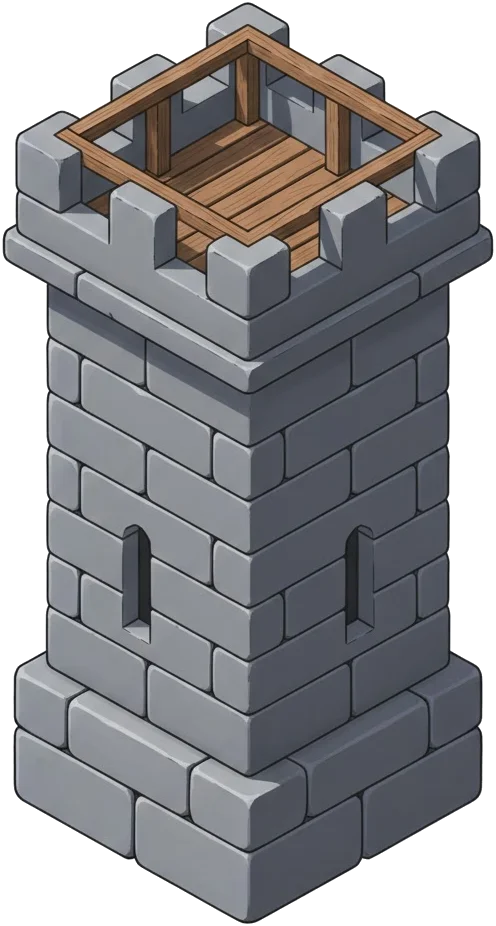 Watch-Tower. The depth of intelligence depends on the tower's level.
Dispatches
Dispatches are brief alerts delivered the moment something happens. A building finishes construction, a spy returns from a mission, a trade completes, an enemy fleet appears on the horizon — each produces a dispatch on the Desk. New dispatches are highlighted, and a count appears on the floating alert above the navigation bar so nothing goes unnoticed.
Some dispatches reference a full report. Opening these entries reveals the detailed account directly — a battle dispatch leads to the complete battle report, a spy dispatch to the reconnaissance findings, and so on. This link between dispatch and report ensures that quick alerts and thorough records work together.
Opening the Desk itself settles the bell above the charts, so Governors need not spend their days clearing old paperwork. Individual dispatches remain marked until opened, allowing unresolved correspondence to stand out without burdening the count.
Reports
Where dispatches announce, reports document. Each report is a sealed record preserved on parchment, containing the full detail of the event. Reports are categorised by type and can be filtered accordingly:
- Battle — Outcome, unit losses on both sides, resources plundered, and any structural damage inflicted by siege engines. Raids on unclaimed shores are filed here as well, alongside contested colonisation records.
- Espionage — Whether the mission succeeded or was intercepted, and what intelligence was gathered. The depth of the report depends on espionage research and the number of spies deployed.
- Trade — Records of marketplace transactions, including resources exchanged and any coin harbor dues applied.
- Transport — Delivery confirmations for resource shipments between islands. Garrison arrivals are announced by dispatch, but they do not keep a full parchment report.
Opening a report marks it as read. New reports are highlighted in the list while they remain unopened, even after the Desk has already been consulted for the day.
Reading Raid Logs
Raid logs are meant to answer one question quickly: was the voyage worth the risk. Review these lines in order:
- Sent / Fallen / Returning — Measures the true fleet cost of the strike.
- Plunder — Shows what actually made it into the holds after protection and carrying limits.
- Raiding Pressure — Shows when repeated strikes on one shore have thinned recoverable stores.
A good raid carries pain and profit together. If losses climb while pressure remains high, shift targets and let that shore recover.
As a rule of thumb, raiding pressure clears only after 12 hours without successful raids on that same shore.

The Watchtower
The Watchtower tab provides a live view of fleets approaching the selected island. Without a Watch-Tower, the horizon is blind — no advance warning is given. Once constructed, the tower reveals incoming threats, and upgrading it increases the depth of intelligence available:
| Intel Tier | Intelligence Revealed |
|---|---|
| Tier I | Time remaining until the fleet arrives |
| Tier II | The attacker's name and island of origin |
| Tier III | Approximate fleet size |
| Tier IV | Exact unit composition of the incoming force |
The Watchtower also improves defence against espionage — each level increases the chance of intercepting enemy spies before they gather intelligence.